
Citizen Eco-Drive Quartz Problems: Causes, Fixes & When to See a Watchmaker
 12 min read
2,322 words
12 min read
2,322 words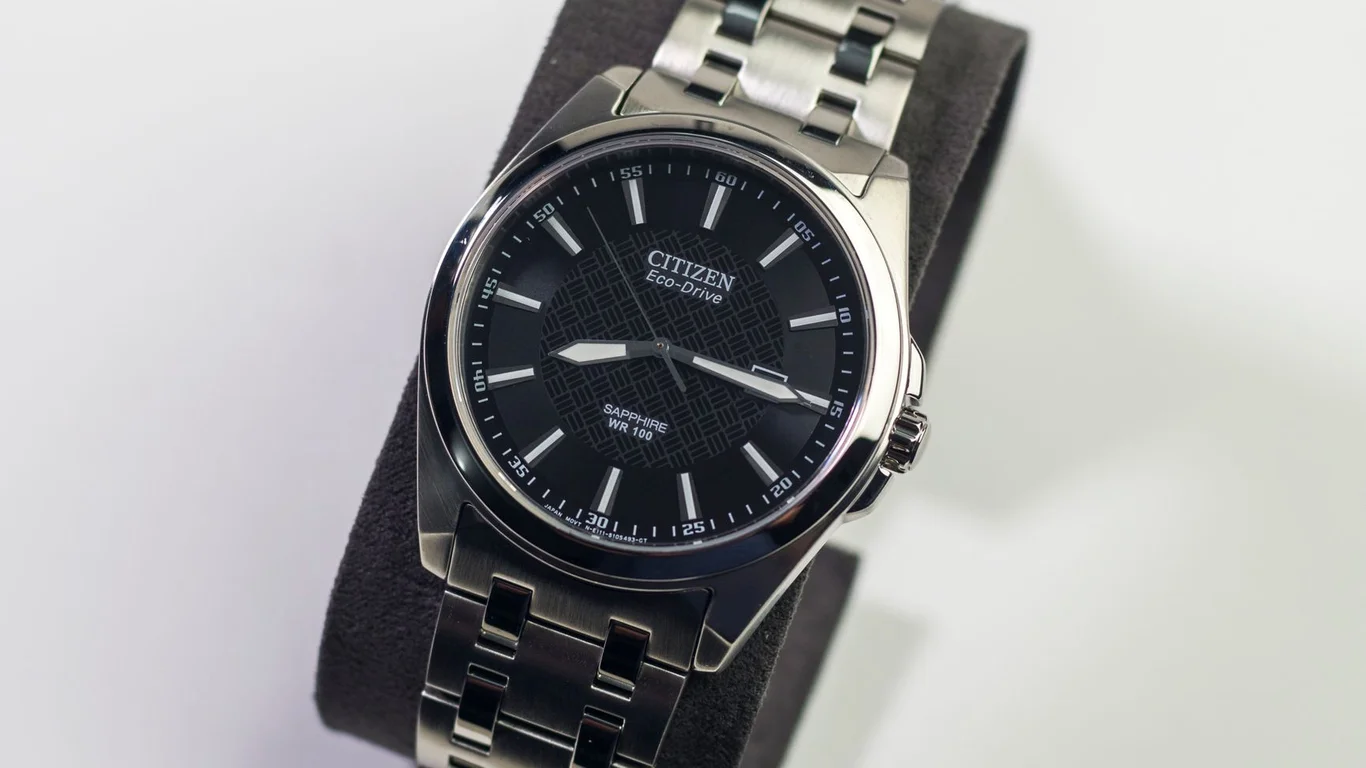
You just picked up your Citizen Eco-Drive from the drawer after a long hiatus, and the hands are frozen solid. Or maybe your daily wearer has started acting up — the second hand is skipping in two-second jumps, or the power reserve indicator is lying to you. If you’re staring at your watch wondering whether it’s broken, dead, or just playing tricks on you, you’re in the right place. Eco-Drive watches are famously reliable, but they fail in ways that make no sense if you’re used to standard quartz or automatic movements. Once you understand the solar-charging mechanic, most of these “problems” turn out to be normal behavior you can fix yourself.
How Eco-Drive’s Solar Charging and Rechargeable Cell Actually Work
Before you can troubleshoot anything, you need to know what’s happening under the dial. An Eco-Drive is a quartz watch, but instead of a disposable battery, it uses a rechargeable lithium-ion cell. That cell is topped up by a solar panel hidden beneath the dial. Light hits the dial, the panel converts it to electricity, and the cell stores that energy to run the movement.
The critical difference from a standard quartz watch: if the cell runs completely flat, the watch stops instantly — no gradual dimming of a battery indicator, no slow second hand. It just quits. That’s because the rechargeable cell delivers a stable voltage until the very end of its charge, then drops off a cliff.
Most Eco-Drive movements also have a power save mode. When the watch sits in darkness for several days, the movement stops the hands to conserve what little charge remains in the cell. The second hand stops mid-dial, and the watch appears dead. But it’s not dead — it’s hibernating. Light wakes it back up.
Eco-Drive rechargeable cells are rated for roughly 20 years of normal use, but that lifespan depends heavily on how often the watch is fully depleted. A watch that sits dead in a drawer for months at a time will degrade its cell much faster than one worn daily.
The solar panel itself is almost never the problem. It’s a solid-state component with no moving parts, and it either works or it doesn’t. When an Eco-Drive stops charging, the culprit is almost always the rechargeable cell, not the panel.
Watch Stopped / Hands Not Moving — Power Save Mode vs a Dead Rechargeable Cell
This is the single most common question we get: “My Eco-Drive stopped. Is it broken?” The answer depends entirely on how long it’s been sitting. If the watch has been in a dark drawer for a week or two, it’s almost certainly in power save mode. If it’s been sitting for six months, the cell is likely depleted to a dangerous level.
Here’s how to tell the difference. In power save mode, the watch stops all hand movement to preserve charge, but the movement remembers the time. When you expose it to light, the hands should snap back to the correct time within a few seconds. If you put it under a bright lamp and nothing happens after five minutes, you’re probably dealing with a completely dead cell.
| Symptom | Likely Cause | What to Do |
|---|---|---|
| Watch stopped, hands frozen mid-dial | Power save mode (short-term darkness) | Expose to bright light; hands should reset within 30 seconds |
| Watch stopped, no response to light after 10 minutes | Rechargeable cell fully depleted | Leave in direct sunlight 6-8 hours (see recharging section) |
| Second hand jumps in 2-second increments | Low charge warning | Charge immediately; do not let it stop completely |
| Watch runs erratically or stops mid-day | Degraded cell or movement issue | Likely needs cell replacement or service |
If your watch has been sitting for less than a month, start with the power save recovery procedure in the next section. Don’t assume it’s broken — nine times out of ten, it just needs a good dose of light.
How to Properly Recharge a Fully Depleted Eco-Drive Before Assuming It’s Broken
Here’s where most owners make a critical mistake. They put the watch under a desk lamp for 15 minutes, see the second hand start moving, and assume it’s fully charged. Then they put it back in the drawer overnight, and the next morning it’s dead again. That’s not a broken watch — that’s an undercharged cell.
A fully depleted Eco-Drive rechargeable cell needs hours of sustained light, not minutes. The solar panel on most models produces only a few microamps under indoor lighting. Under a typical 60-watt desk lamp at 12 inches, you’re looking at maybe 10-15% of the charging rate you’d get from direct sunlight.
The correct procedure for a dead Eco-Drive:
- Place the watch dial-up in direct sunlight on a windowsill or outdoors (not in a car — it can overheat).
- Leave it for a minimum of 6 to 8 hours. Yes, a full workday.
- After 6 hours, check if the second hand is ticking normally (one jump per second, not two-second skips).
- If the hands are still frozen after 8 hours of direct sun, you likely have a failed rechargeable cell.
Never leave an Eco-Drive in direct sunlight inside a closed car. Dashboard temperatures can exceed 160°F (71°C), which will permanently damage the rechargeable cell and can warp the dial or crystal. Ambient outdoor sun is fine; trapped heat is not.
Once the watch is ticking normally, give it another 24 hours of normal daylight wear to bring the cell up to a healthy charge level. A full charge on most Eco-Drive models provides 6 to 12 months of power reserve in darkness, depending on the specific movement.
If you don’t have reliable direct sunlight, use a high-intensity LED desk lamp placed 4-6 inches from the dial. It’s slower than sunlight but still effective. Avoid incandescent bulbs — they produce more heat than useful light for the solar panel.
Rechargeable Cell Degradation Over Years — Signs It Needs Replacement
Unlike a standard quartz battery that dies suddenly, an Eco-Drive rechargeable cell degrades gradually. You’ll notice the warning signs long before the watch stops completely — if you know what to look for.
The most common symptom is a shrinking power reserve. A healthy Eco-Drive should hold a charge for months in total darkness. If your watch dies after sitting in a drawer for only a week or two, the cell has lost significant capacity. Another red flag: the watch requires more frequent charging than it used to. If you wear it daily but still see the low-charge warning (two-second second-hand jumps) by evening, the cell is failing.
Here’s the important distinction: you cannot replace an Eco-Drive rechargeable cell the way you replace a standard watch battery. The cell is soldered to the movement in most models, and it’s a specialized lithium-ion component, not a coin cell you can buy at the drugstore. This is not a DIY job for most owners.
When the cell fails, you have two options:
- Send it to Citizen for a factory cell replacement (includes a movement service).
- Take it to an independent watchmaker who stocks Eco-Drive cells and has the equipment to safely desolder and replace them.
Do not attempt to pry open the movement and replace the cell yourself unless you have micro-soldering experience and the correct replacement part. Eco-Drive cells are not standardized; using the wrong cell can damage the movement or create a fire risk. This is one of the few watch repairs we genuinely recommend leaving to a pro.
Most independent watchmakers charge between $60 and $120 for an Eco-Drive cell replacement, depending on the movement. Citizen’s official service runs higher (typically $150-$250) but includes a full movement overhaul and water resistance testing. For a watch you plan to keep for years, the factory service is usually worth the premium.
Hands Stuck or Not Resetting to 12 After a Full Discharge
This one scares a lot of owners, but it’s almost always a normal Eco-Drive behavior, not a mechanical failure. When the rechargeable cell drops below the voltage threshold needed to run the stepper motors, the hands stop wherever they are. They don’t snap to a reset position — they just freeze.
When you recharge the watch, the movement performs a hand reset sequence. The hands spin rapidly to the 12:00 position, then advance to the correct time based on the movement’s internal memory. If the watch was in power save mode, the hands should reset within 30 seconds of exposure to light. If the cell was completely dead, the reset might take a few minutes after charging begins.
But what if the hands reset to the wrong position? Say the hour hand points to 10 and the minute hand points to 6 after the reset. That’s not a broken movement — it’s a misaligned hand position, usually caused by the hands being physically bumped or the crown being pulled during a low-charge state. This is a simple fix.
Most Eco-Drive models have a manual hand alignment procedure:
- Pull the crown out to the second position (time-setting mode).
- Press the pusher at 2 o’clock (or the designated reset button on your model) until the second hand sweeps to 12.
- The hour and minute hands should also snap to 12. If they don’t, use the crown to manually align them.
- Push the crown back in and set the time.
If the hands still won’t align after the reset procedure, the issue could be a loose hand on the cannon pinion, or a gear train problem from a hard impact. That’s a watchmaker visit — but try the reset first. In our experience, 80% of “stuck hands” complaints are resolved by a proper recharge and alignment reset.
Some newer Eco-Drive models (especially the Promaster series) have a “hand shift” function that moves the hands out of the way for digital display readouts. If your hands appear stuck at weird positions, check the manual — you might have accidentally engaged this mode.
When Eco-Drive-Specific Service (Cell Replacement) Is Needed vs Standard Movement Service
This is the decision point where many owners get confused. You have a watch that’s acting up — do you need a simple cell replacement, or does the whole movement need service? The answer depends on what kind of problem you’re seeing.
If the only symptom is a watch that won’t hold a charge or takes unusually long to charge, the rechargeable cell is almost certainly the culprit. The quartz movement itself — the circuit board, the stepper motors, the gear train — is often still perfectly functional. In this case, a cell replacement is all you need.
But if the watch runs fine when charged but loses time, or if the hands stutter and skip even when the charge indicator shows full, you have a movement problem that goes beyond the cell. Standard quartz movement issues — worn gear train pivots, contaminated circuit contacts, a failing crystal oscillator — require a full movement service or replacement.
Here’s a quick decision guide:
| Symptom | Likely Service Needed | Cost Estimate |
|---|---|---|
| Won’t hold charge, but runs accurately when charged | Rechargeable cell replacement only | $60 – $120 (independent) |
| Won’t charge at all, even in direct sun | Cell replacement + solar panel check | $80 – $150 |
| Runs but loses time (gaining/losing minutes per day) | Full movement service or replacement | $100 – $250 |
| Hands stutter, skip, or stop randomly | Movement service (gear train or circuit issue) | $150 – $300 |
| Watch stopped after water exposure | Full service + water damage repair | $200 – $400 |
One more thing to keep in mind: Citizen does not sell replacement movements to the public. If your Eco-Drive needs a new movement, it has to go through an authorized service center. Independent watchmakers can sometimes source generic replacement movements for common calibers (like the 8651 or 8729), but for less common models, factory service is your only option.
The good news: Eco-Drive movements are remarkably durable. Most problems are cell-related, and a cell replacement at the right time can give you another decade of reliable service. The bad news: ignoring a degraded cell for too long can damage the movement. A cell that leaks or swells can corrode circuit contacts and ruin the entire module. If you see swelling on the cell, stop wearing the watch and get it serviced immediately.
If you’re comfortable with basic watch maintenance, you can safely handle the recharging and power save recovery yourself. Cell replacement, movement service, and water resistance testing should always go to a professional. Your Eco-Drive is a precision instrument with a unique power system — treat the cell with respect, and it will reward you with years of trouble-free wear.
Frequently Asked Questions
How long does it take to recharge a fully dead Eco-Drive watch?
If your watch has been completely dead for weeks or months, expect 12 to 24 hours of direct sunlight (not through a window) to bring it back to life. A desk lamp or overcast day can take several days, so stick to bright sun for the quickest results. Once the seconds hand starts moving in two-second jumps, you’ve got enough charge to set the time and resume normal wear.
Does the rechargeable cell in an Eco-Drive eventually wear out like a regular battery?
Yes, it does — the lithium-ion cell in an Eco-Drive has a typical lifespan of 10 to 15 years before its capacity drops noticeably. Unlike a standard watch battery that dies suddenly, a degraded cell will slowly lose its ability to hold a charge, leading to shorter run times and frequent two-second jumps. A professional cell replacement restores full performance without replacing the entire movement.
Why did my Eco-Drive’s hands jump to a weird position after it died?
That’s the power save mode engaging as the voltage drops below the movement’s minimum operating threshold. The hands stop in place or snap to an arbitrary position like 12:00 or 6:00 to conserve the last bit of energy for the internal IC. It’s a normal safety feature, not a malfunction — once you recharge the watch, the hands will reset to the correct time when you pull and push the crown.
🛒 Shop Compatible Parts
Prices and stock verified daily by our affiliate partners. As an affiliate, WatchPartsFit may earn a commission on qualifying purchases at no extra cost to you.
Check Compatibility First →
watchpartsfit
WatchPartsFit editor covering mechanical watch strap compatibility, movement repair, and part-replacement guides.