
Miyota OS10 OS20 Quartz Problems: Causes, Fixes & When to See a Watchmaker
 13 min read
2,504 words
13 min read
2,504 words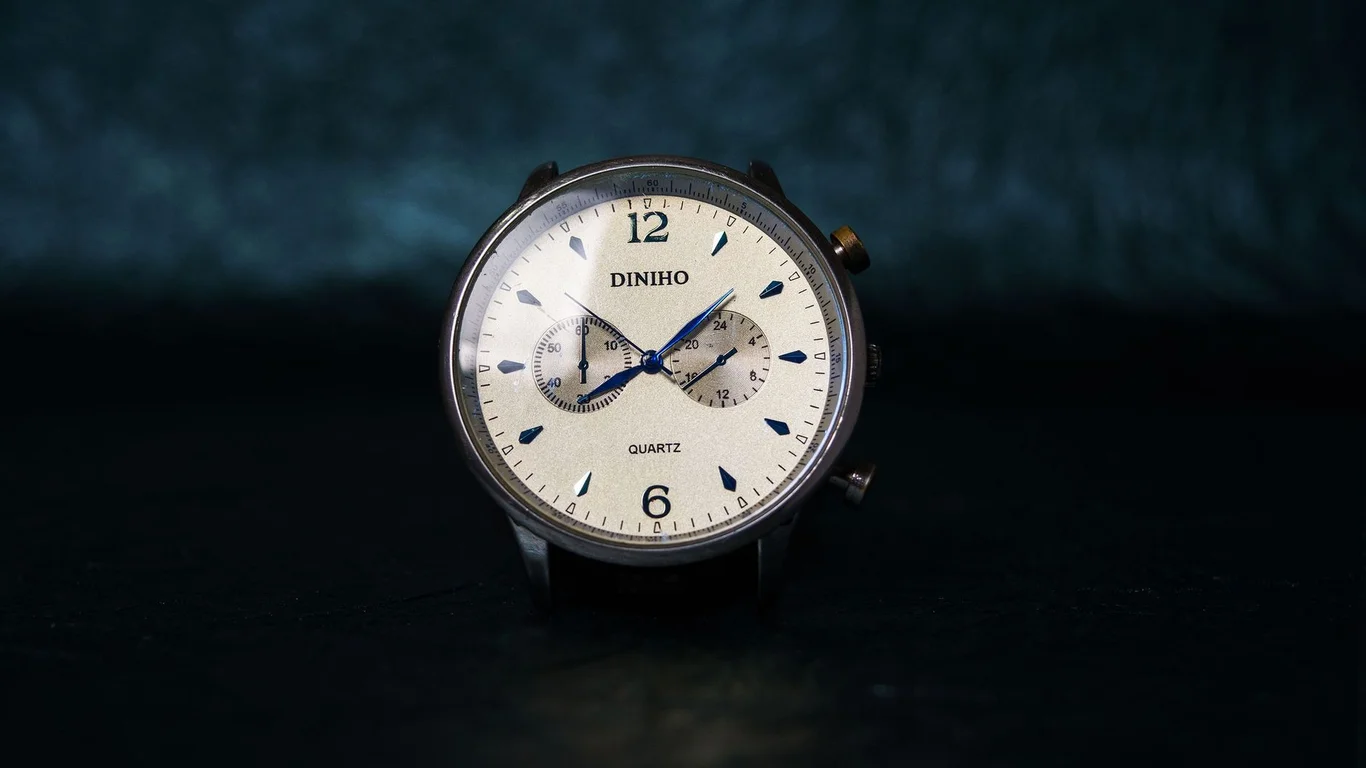
You just looked down at your quartz chronograph and noticed something off. The big seconds hand is ticking away fine, but when you stop the chronograph and reset it, the subdial hands land somewhere in Narnia instead of snapping back to twelve o’clock. Don’t panic, and definitely don’t start shopping for a replacement watch just yet.
If your watch runs on a Miyota OS10 or OS20 movement, you’ve stumbled into one of the most common and most fixable problems in the affordable quartz chronograph world. The good news is that nine times out of ten, this isn’t a broken movement—it’s just a movement that needs a quick reset procedure you can do at home with nothing more than the crown and a steady hand.
This guide walks you through exactly what’s happening, why it happens, and the specific steps to get your chronograph hands back where they belong. We’ll also cover when the simple fix doesn’t work and what that means for your next move.
Quartz Chronograph, Not Mechanical — Why That Matters Here
Before we dive into the fix, you need to understand what you’re working with. The Miyota OS10 and OS20 are quartz chronograph movements, not mechanical ones. That distinction changes everything about how they behave and how you troubleshoot them.
A mechanical chronograph like the Miyota 9100 uses a complex system of springs, levers, and cams to start, stop, and reset the chronograph hands. When something goes wrong there, you’re usually looking at a disassembly and cleaning by a watchmaker.
A quartz chronograph is different. The OS10 and OS20 use a stepping motor controlled by an integrated circuit (the quartz oscillator’s brain) to move the chronograph hands. The reset function isn’t mechanical—it’s electronic. The movement sends a signal to step the hands back to zero based on a stored reference position.
That reference position can drift over time. Battery changes, magnetic exposure, or even a hard knock can nudge the hands out of alignment. The fix is almost always a reset of that reference position, not a repair of broken parts.
The OS10 and OS20 are essentially the same movement architecture. The OS20 adds a 12-hour totalizer subdial that the OS10 doesn’t have. Both share the same reset procedure and the same common issues.
The Most Common Issue: Subdial Hands Not Returning to Zero
Here’s the scene that brings most people to this page. You’ve been using your chronograph normally—start, stop, reset—everything works fine for months. Then one day you reset it, and the 30-minute subdial hand lands on the 5-minute mark instead of zero. Or the 1/10th second subdial sits three ticks off. Or the main chronograph seconds hand stops at 58 seconds instead of 12 o’clock.
Why does this happen? The most common cause is a battery change. When the battery is removed, the movement loses power and the integrated circuit loses its stored reference positions for the chronograph hands. When the new battery goes in, the hands don’t know where zero is anymore.
Other common triggers include:
- A strong magnetic field (speaker magnets, MRI machines, certain industrial tools)
- A physical shock that shifts the hand on its pinion (less common, but possible)
- Using the chronograph function excessively without ever resetting the reference
- Leaving the watch sitting with a dead battery for months
The key thing to remember: misaligned chronograph hands on a quartz movement are almost never a sign of a dying movement. They’re a calibration issue, and calibration is something you can fix.
The Standard Quartz Chronograph Reset Procedure
This is the main event. The procedure below works for virtually all Miyota OS10 and OS20 movements, and it’s the same basic method used by watchmakers to recalibrate these movements after a battery swap. You don’t need any tools except your fingers.
Step 1: Pull the Crown to the Second Position
Your watch crown likely has three positions. Position 1 is the normal running position (pushed all the way in). Position 2 is the date adjustment position (one click out). Position 3 is the time-setting position (fully pulled out). For this reset, you want Position 3—the time-setting position.
Pull the crown all the way out. The seconds hand should stop. This confirms you’re in the correct position.
Step 2: Press the Reset Button (Bottom Pusher)
With the crown still in the fully pulled-out position, press and hold the bottom pusher (the one that normally resets the chronograph) for about 2-3 seconds. You might feel a slight click or see the chronograph hands twitch. Release the button.
This action tells the movement’s integrated circuit to enter calibration mode. The hands won’t move dramatically here—you’re just telling the movement “I want to reset the reference positions.”
Step 3: Press the Start/Stop Button (Top Pusher) to Cycle Through Hands
Now press the top pusher (the one that normally starts and stops the chronograph) briefly. The chronograph seconds hand should move slightly. Each press of the top pusher cycles the movement to the next hand in the calibration sequence.
The typical sequence is:
- First press: selects the main chronograph seconds hand
- Second press: selects the 30-minute subdial hand
- Third press: selects the 1/10th second subdial hand (if your watch has one)
- Fourth press: selects the 12-hour totalizer hand (OS20 only)
- Fifth press: exits calibration mode
If your watch has fewer subdials, the sequence skips the ones that don’t exist. The OS10 typically has a 30-minute subdial and a 1/10th second subdial. The OS20 adds the 12-hour totalizer. Press the top pusher slowly and watch which hand moves—that tells you what you’re adjusting.
Step 4: Adjust the Selected Hand Using the Bottom Pusher
Once you’ve selected the hand you want to adjust (for example, the main chronograph seconds hand), use the bottom pusher to move it. Each press of the bottom pusher advances the hand by one increment. If the hand is sitting at 58 seconds on the dial and you need it at 60 (12 o’clock), you’ll need to press the bottom pusher twice to advance it two increments.
If you overshoot, don’t panic. You can’t go backward in this mode. Just keep pressing the bottom pusher—the hand will continue advancing around the dial. When it comes around again, stop at the correct position.
Step 5: Cycle Through and Adjust All Hands
Press the top pusher to move to the next hand. Repeat the adjustment process for each subdial hand. Take your time and be precise—the goal is to get each hand pointing exactly at the 12 o’clock position (or zero on the subdial scale).
Step 6: Exit Calibration Mode and Test
Once all hands are correctly positioned, press the top pusher until the hands stop moving and the movement exits calibration mode. Push the crown back in to its normal running position. The seconds hand should start ticking again.
Now test your work. Start the chronograph, let it run for 30 seconds or so, stop it, and reset it. All hands should snap back to zero. If they do, congratulations—you just fixed your watch. If they don’t, repeat the procedure and double-check each hand’s alignment.
Never force the crown or pushers. If the crown doesn’t pull out smoothly or the pushers feel stuck, stop immediately. Forcing a stuck component can damage the movement’s stem or keyless works. A watch that won’t let you enter calibration mode needs a watchmaker’s hands, not more force from yours.
Battery Life and Replacement Considerations
Battery changes are the number one trigger for the OS10/OS20 reset issue. Here’s what you need to know to avoid problems down the road.
These movements typically run on a single SR626SW or similar silver oxide battery. Battery life is usually 2-3 years with normal use, but heavy chronograph use drains it faster. Every time you start and stop the chronograph, you’re drawing power to move the stepping motor. Leave the chronograph running continuously and you’ll cut battery life significantly.
When you do replace the battery, the movement will almost certainly lose its reference positions. That’s normal. The watchmaker who changes your battery should perform the reset procedure above as part of the service. If they don’t, or if you change the battery yourself, you now know exactly how to fix it.
Some watchmakers charge extra for “chronograph recalibration” after a battery change. That’s because the reset procedure takes a few minutes of careful work. If you’re comfortable doing it yourself, you can save that fee. Just be honest with yourself about whether you have the patience to get each hand exactly right.
One more thing: if your watch has been sitting in a drawer with a dead battery for a year or more, the battery may have leaked. Corroded battery contacts can prevent the movement from powering up properly. If you put in a fresh battery and the watch doesn’t run at all, check the contacts for white or green corrosion. That’s a job for a watchmaker.
When the Reset Procedure Doesn’t Fix It — Deeper Causes
The reset procedure works for the vast majority of OS10/OS20 alignment issues. But sometimes it doesn’t. Here’s what to check before you give up.
Is the Hand Actually Loose on Its Pinion?
Watch the hand closely during the adjustment process. If you press the bottom pusher and the hand jumps erratically, or if it moves but then settles back to a different position, the hand may be loose on its pinion. This can happen from a hard knock or from a hand that wasn’t pressed fully onto the pinion during assembly.
A loose hand needs to be re-seated by a watchmaker. Trying to press it back down yourself with a random tool usually ends badly—bent hands, scratched dials, or damaged pinions.
Is the Movement Magnetized?
Magnetization is a common culprit for erratic chronograph behavior. A magnetized movement can cause the stepping motor to skip steps, making the hands land in the wrong position even after a successful reset.
The fix is demagnetization, which any watchmaker can do in seconds with a demagnetizer. You can buy a cheap demagnetizer online and try it yourself, but be careful—overdoing it can affect the quartz oscillator’s accuracy.
Has the Integrated Circuit Failed?
This is rare but possible. If the reset procedure doesn’t work at all—the hands don’t move when you press the pushers in calibration mode, or they move but won’t hold their position—the integrated circuit may have failed. This is essentially a death sentence for the movement. A replacement movement (usually $30-60 for an OS10 or OS20) plus labor is often more economical than trying to repair the circuit.
| Symptom | Likely Cause | DIY Fix? |
|---|---|---|
| Hands off by consistent amount after reset | Lost reference position (most common) | Yes — reset procedure |
| Hands jump erratically during adjustment | Loose hand on pinion | No — watchmaker needed |
| Reset procedure does nothing at all | Dead battery, corroded contacts, or failed IC | Check battery; if OK, watchmaker |
| Hands drift during chronograph run | Magnetization or low battery | Try demagnetizer; replace battery |
| Pusher feels stuck or won’t click | Debris, corrosion, or mechanical jam | No — watchmaker needed |
How This Differs from the Mechanical Miyota 9100 Troubleshooting
If you’ve read our guide on the mechanical Miyota 9100 chronograph, you might notice some similarities. Both movements can have misaligned hands. But the causes and fixes are fundamentally different.
The 9100 is a mechanical column-wheel chronograph. Its reset function is purely mechanical—a hammer mechanism pushes the heart-shaped cams to return the hands to zero. If the hands are off on a 9100, the issue is usually worn components, dried lubricant, or a misaligned clutch. Fixing it requires disassembly, cleaning, and often replacing parts.
The OS10/OS20 is a quartz chronograph. Its reset function is electronic. The movement stores a reference position in memory, and when you press the reset button, it steps the hands back to that stored position. If the hands are off, the issue is almost always a lost reference position—fixed by the reset procedure you just learned.
Here’s the practical difference: if your quartz chronograph has misaligned hands, try the reset procedure first. If your mechanical chronograph has misaligned hands, don’t try anything—take it to a watchmaker. Poking at a mechanical chronograph’s reset mechanism without training can damage the delicate heart pieces and make the repair much more expensive.
Never use the quartz reset procedure on a mechanical chronograph. You can’t recalibrate a mechanical movement by pulling the crown and pressing pushers. Doing so won’t hurt the movement (the pushers just don’t do anything in that position), but it wastes time and might convince you the watch is broken when it’s actually just due for service.
One final distinction: the OS10/OS20 has no power reserve to worry about. A quartz movement runs until the battery dies. The mechanical 9100 typically has a 40-42 hour power reserve. If your quartz chronograph stops after sitting for a weekend, it’s a battery issue. If your mechanical chronograph stops after 36 hours, that’s normal—wind it and set the time again.
You now have the knowledge to diagnose and fix the most common problem with your Miyota OS10 or OS20 quartz chronograph. The reset procedure is straightforward, requires no tools, and works in the vast majority of cases. If it doesn’t work, you know the signs that point to a deeper issue and when to hand the watch to a professional. Keep this guide bookmarked—chances are you’ll need it again after the next battery change.
Frequently Asked Questions
Why won’t my quartz chronograph’s subdials reset to 12 o’clock?
This usually means the movement has lost track of its zero position, which is common after a battery change or if the crown was pulled while the chronograph was running. The fix is the same reset procedure you use for the OS10/OS20: pull the crown to the time-setting position, then press and hold the correct pusher to advance the stuck subdial hand back to 12. If that doesn’t work, you’re likely looking at a physical issue like a bent hand or gear problem that needs a watchmaker.
Is the reset procedure the same on every quartz chronograph?
No, it varies by movement brand and model. The Miyota OS10/OS20 uses a specific combination of crown position and pusher presses, but an ETA or Ronda quartz chronograph may require a different sequence or a tiny reset button recessed into the case side. Always check the movement’s technical documentation or a reliable reference like this one before attempting a recalibration—using the wrong procedure on a different caliber can leave you stuck or misaligned.
Does a dying battery cause the chronograph hands to misalign?
Yes, a low or failing battery is one of the most common causes of misalignment in quartz chronographs like the OS10 and OS20. As voltage drops, the stepper motors that drive the subdial hands can skip steps or stop responding correctly, making the hands land off the 12 o’clock mark. Replacing the battery and then running the reset procedure usually restores proper alignment—just be sure to do the reset after the new battery is installed, not before.
🛒 Shop Compatible Parts
Prices and stock verified daily by our affiliate partners. As an affiliate, WatchPartsFit may earn a commission on qualifying purchases at no extra cost to you.
Check Compatibility First →
watchpartsfit
WatchPartsFit editor covering mechanical watch strap compatibility, movement repair, and part-replacement guides.